

How Do You Design Your Own Custom Statement Shirts?
Last Updated: November 16, 2026
Quick Summary
Design your own custom statement shirts by starting with one strong, specific idea that names a real feeling in plain words, then building the layout in a free online t-shirt design maker. Pick one hero element and let it breathe instead of crowding the front with text, a picture and a logo.
- Write ten ideas, then keep the one that gets a reaction out loud.
- Vague lines like "Good Vibes Only" fade into the crowd, so get specific.
- A free online design tool runs in a browser with no software to install.
- Keep your design inside the printable area with a margin around the edges.
- Low-resolution images print blurry, so check image quality before ordering.
Table of Contents
- Start With a Design Idea That Actually Lands
- Use a T-shirt Design Maker Online Free to Build the Layout
- Build a Custom Shirt With Picture and Text
- Frequently Asked Questions
Start With a Design Idea That Actually Lands
StumbleRump makes funny party tees, so we know a good line when we see one. Learning how to design your own custom statement shirts starts with one strong idea, not a busy layout.
Get specific. Name a real feeling in plain words, while vague lines like "Good Vibes Only" fade into the crowd. Write ten ideas, then keep the one that gets a reaction out loud.
Watch out: the biggest mistake is crowding the front with text, a picture and a logo. Pick one hero element and let it breathe.
For bold starting points, browse statement graphic tees and unique graphic designs for social events.
Keep these design rules in mind before you open any design tool.
| Rule | What to do | What to avoid |
|---|---|---|
| Start with one strong idea | Name a real feeling in plain words | Vague lines like "Good Vibes Only" |
| Get specific | Write ten ideas, keep the one that gets a reaction | Busy layouts |
| Pick one hero element | Let it breathe | Crowding the front with text, picture and logo |
Use a T-shirt Design Maker Online Free to Build the Layout
A free online design tool can be used in a browser, with no software to install.
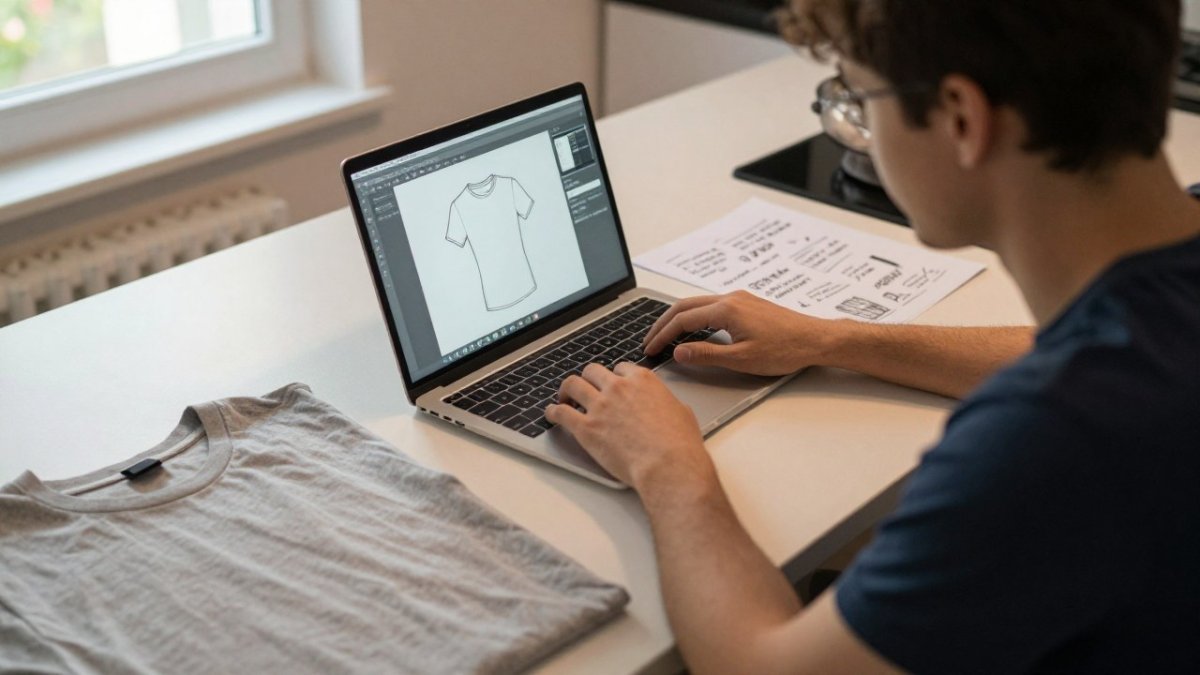
Keep your design inside the printable area with a margin around the edges.
Before you order from any online designer, run through signs of a trustworthy online apparel store so you know who you're buying from.
Build a Custom Shirt With Picture and Text
Combining a picture and text makes a custom shirt with picture and text that feels personal. The trick is balance: let the image do one job and the words do another.
Watch out: low-resolution images print blurry.
Once your design is set, choose a blank that lasts. Our guide to the best fabrics for long lasting funny t-shirts and how to care for screen printed graphic apparel cover fabric and care.
Designing a statement shirt is easy. Getting a joke that lands, a layout that reads, and a print that survives the wash is the hard part. StumbleRump takes care of that last part for you, with funny party-themed designs for both men and women, bold slogans like "That's a Horrible Idea, What Time?", and conversation-starting tees built for beach days, parties, and holiday events. Get started with StumbleRump and wear a shirt that does the talking for you.
Frequently Asked Questions
What font is easiest to read on a statement shirt?
Bold sans-serif fonts hold up best at print size because thin strokes and script fonts break apart on fabric, especially with screen printing. Keep body text at least 1 inch tall for a chest print and avoid stacking more than two fonts in one design. High contrast between the text and the shirt color matters as much as the font itself, so test your layout at thumbnail size before you order.
Can I design a custom shirt online for free?
Yes. Watch for low-resolution artwork, which can print blurry.
How do I put a picture and text on a custom shirt without it looking messy?
Give the design one focal point. Put the picture or logo in the center chest and keep the text short, either above or below it, with clear spacing between elements. Match the text color to a color already in the image so the two read as one design. If you want a shortcut, StumbleRump's ready-made statement shirts like [That's a Horrible Idea, What Time?](https://stumblerump.com/products/thats-a-horrible-idea-what-time) ($15.99) are a starting point.
